Kit
Start free
Kit POS · Purchases

Receive stock. Cost prices follow.

Purchase orders, goods received and supplier balances that update quantities and costs automatically.

No card needed · 14-day trial · EFRIS-ready

Included in every plan · Economy, Deluxe, Plus and CustomBonus Accounting included free in every plan
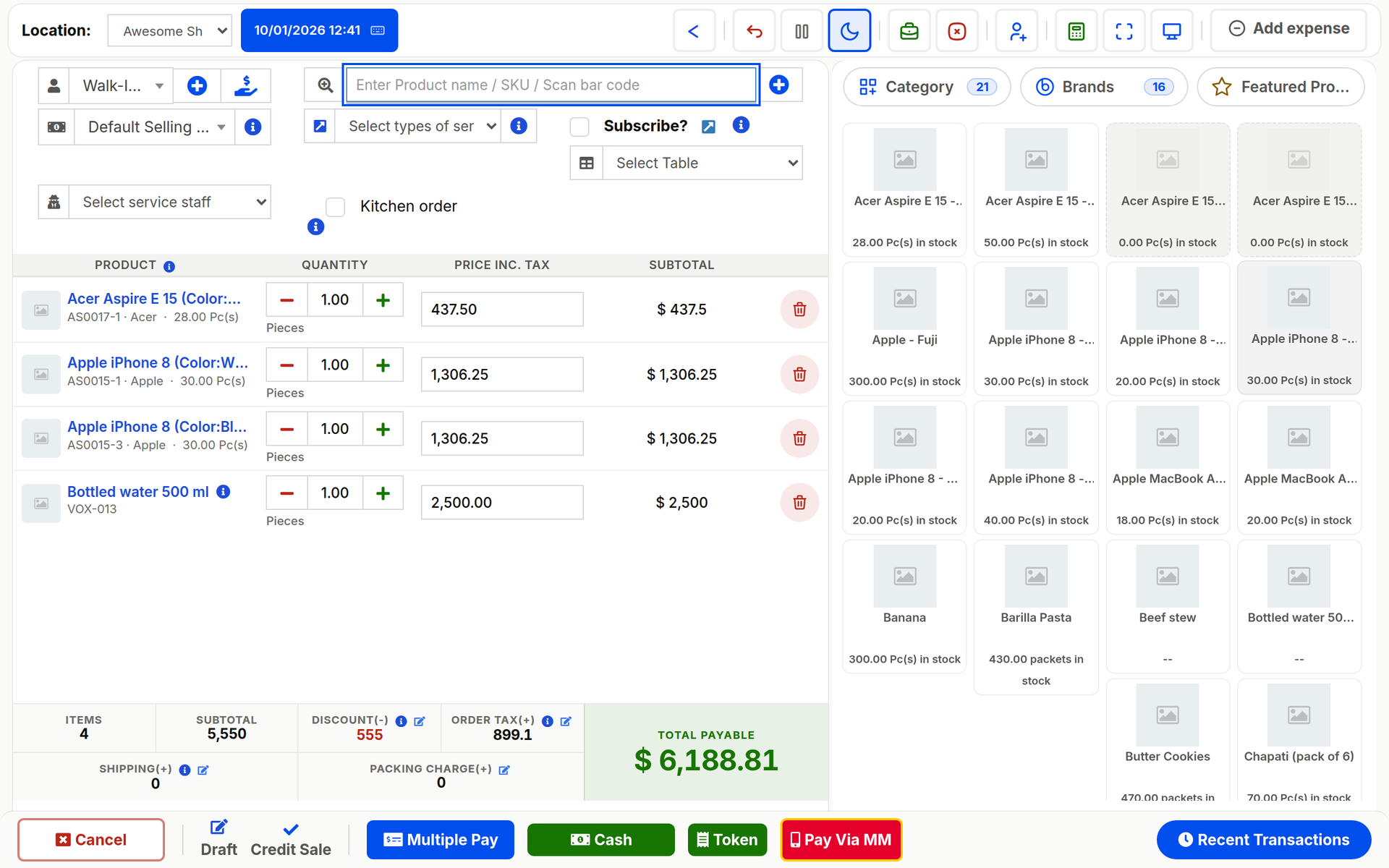
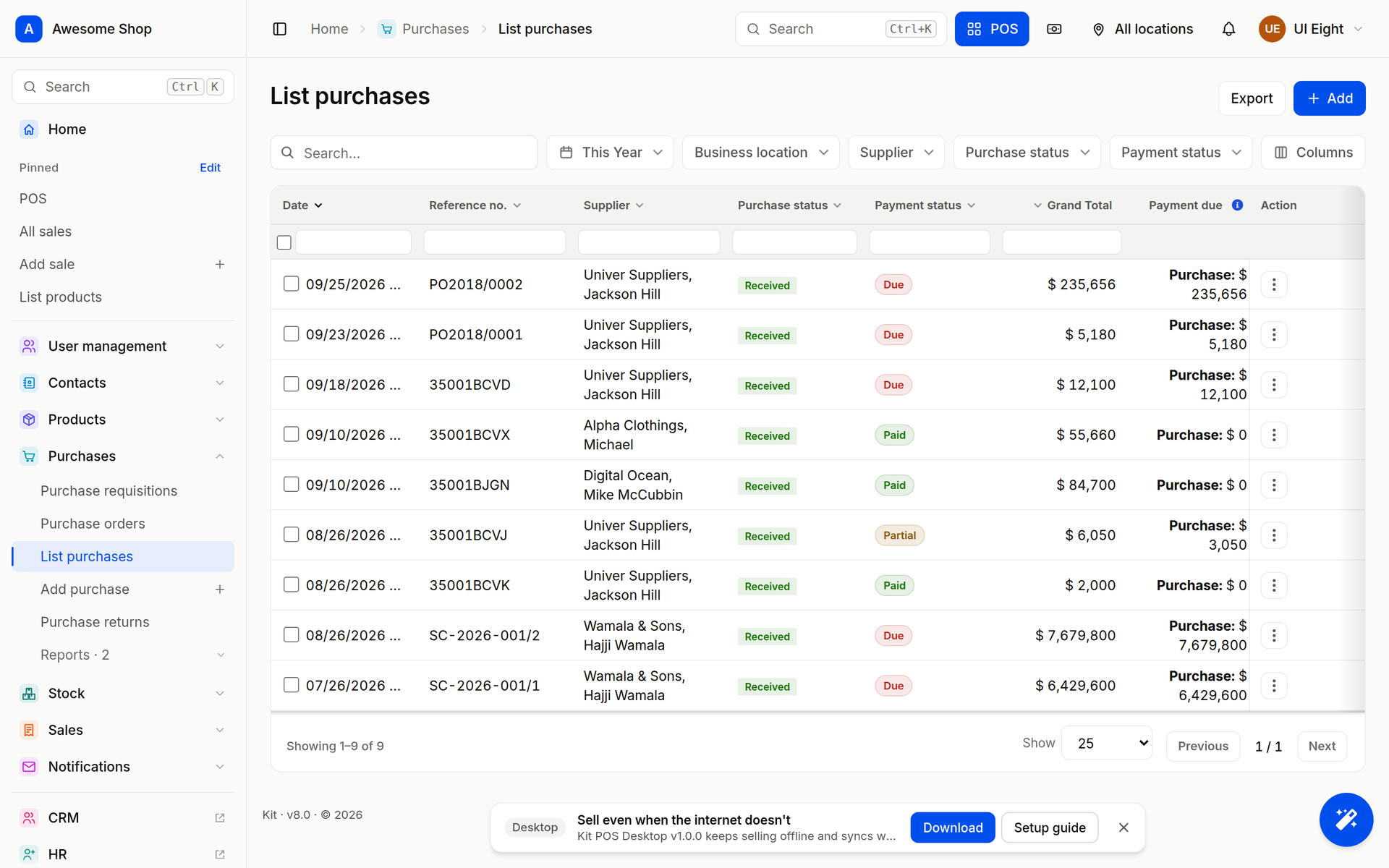
Kit purchases list with suppliers, status, payment status and totals
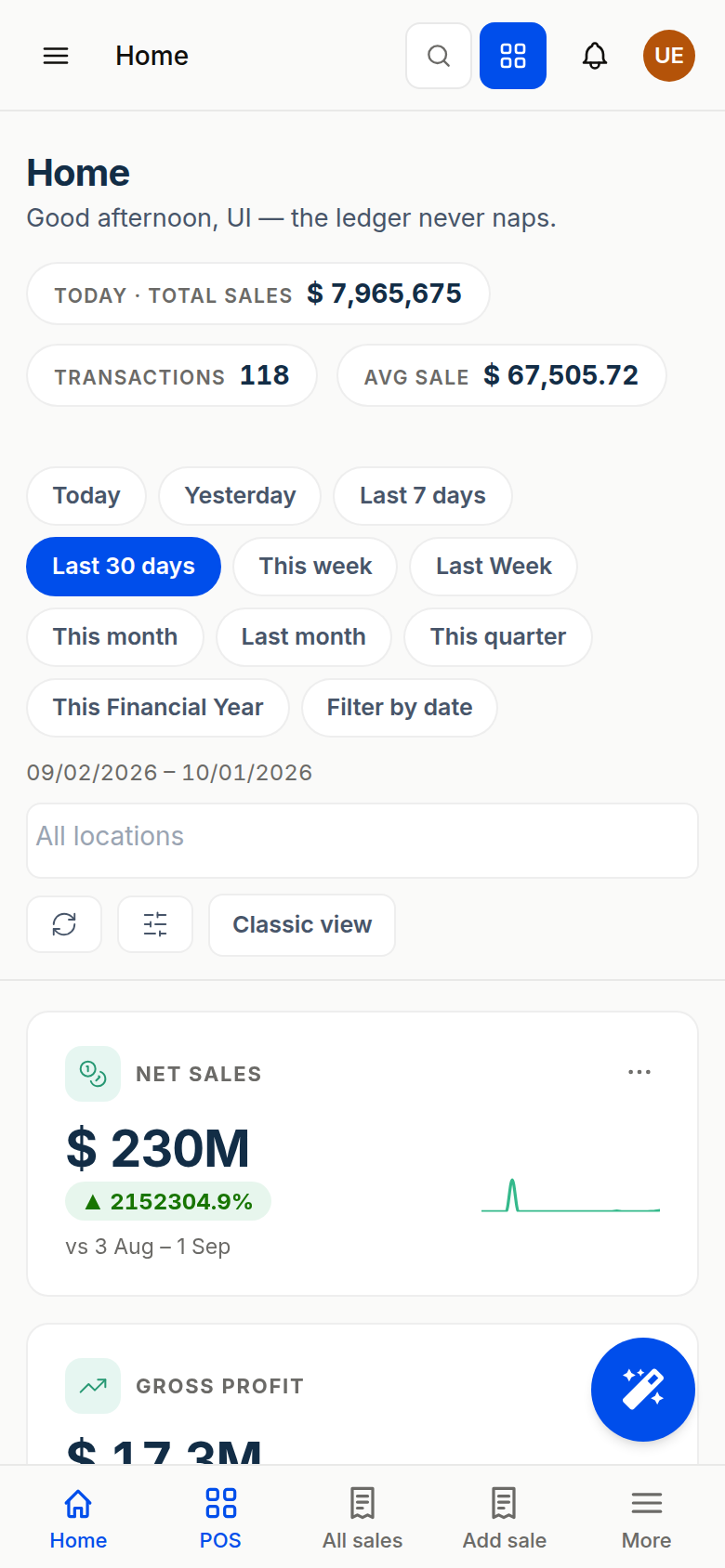
Kit home on a phone
Real screens from Kit POS (demo business). Phone shows Home at phone width.
Trusted by 4,200+ businesses in 6 countries EFRIS-ready receipts from the till Works offline on Kit POS Desktop, syncs when the line is back Kit Business mobile on Android and iOS
Watch the guide

Add a supplier, set the opening balance, raise the first order.

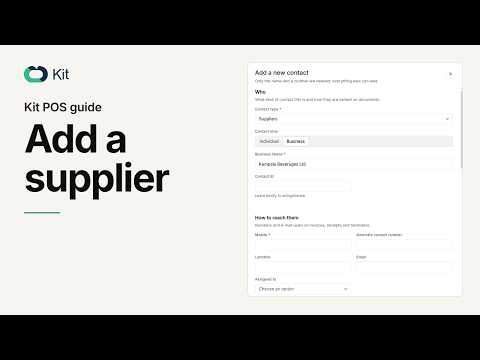
A four-minute guide from the Kit channel: the supplier record, its opening balance and the first purchase.

Kit POS: Add a Supplier and Set the Opening Balance
Guide · Add a supplier and set the opening balanceClick to play · opens in the privacy-enhanced player
1Purchase orders

Order what the report says you need

Raise a purchase order from the low-stock list or from scratch, with supplier prices and expected dates. Approval before it is sent is a role setting.

  • Purchase orders with supplier prices and discounts
  • Approval step before a PO is sent
  • Email or WhatsApp the PO to the supplier
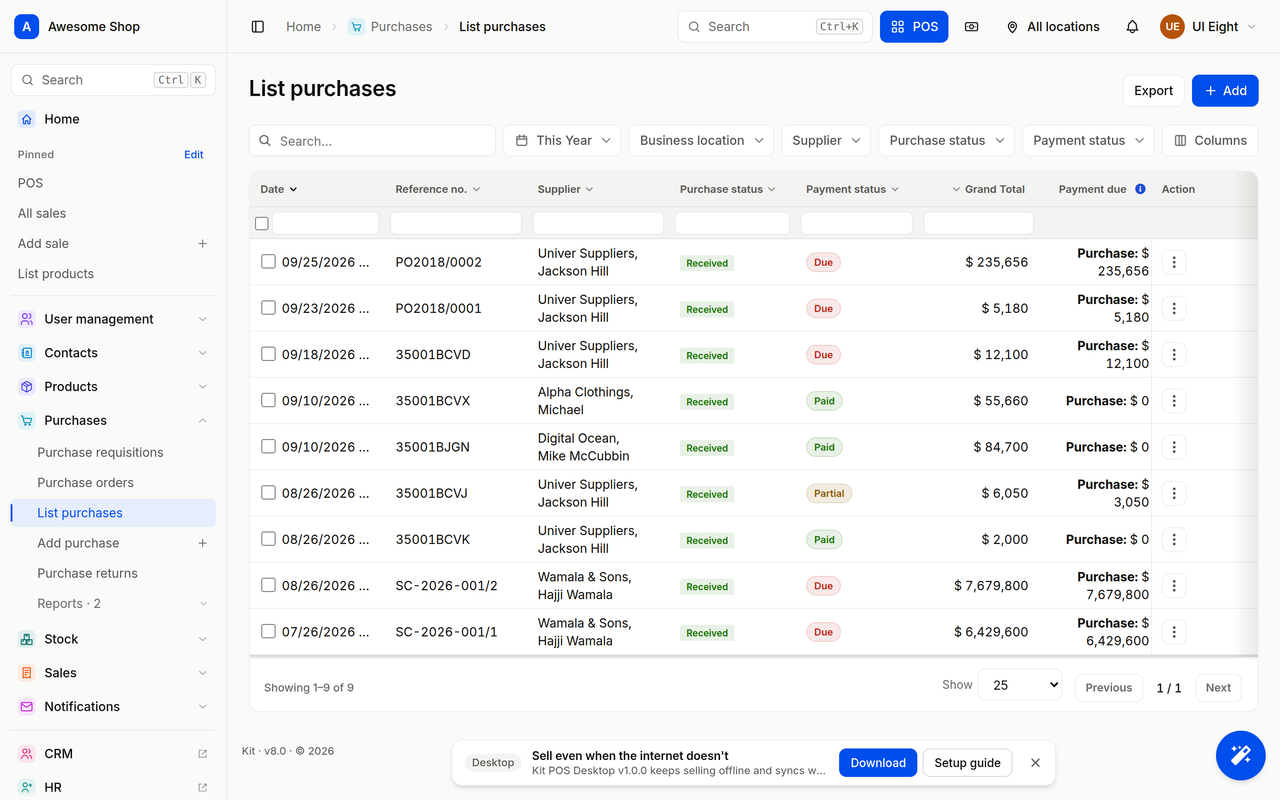
Kit purchases list
PO
Purchase order · OrderedAwaiting goods received
2Goods received

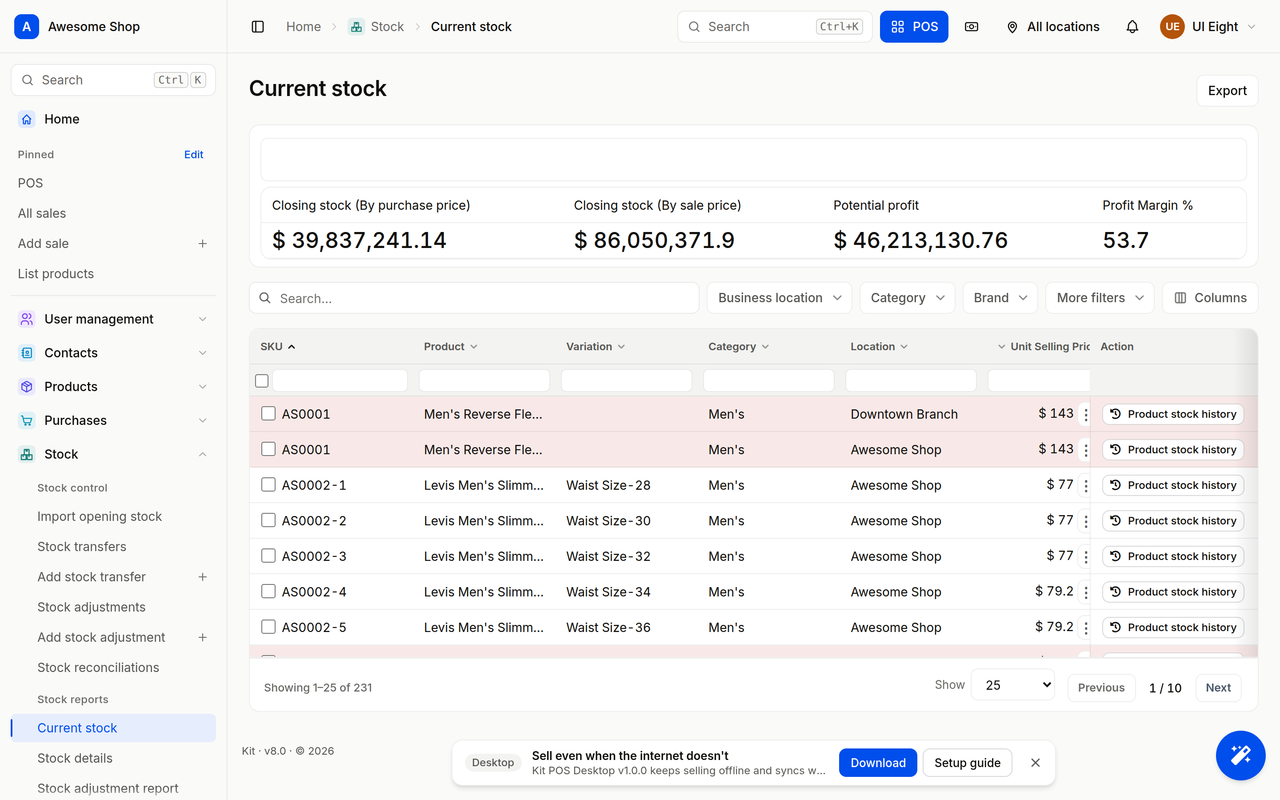
Receive stock. Cost prices follow.

Receive in full or in part. Quantities land on the shelf and the cost price updates, so margin on the next sale is right.

  • Partial receipts and back orders
  • Landed cost: freight and duties spread across lines
  • Batch and expiry captured on receipt
Kit stock report after goods are received: closing stock by purchase price
GR
Goods receivedStock and cost price updated
3Suppliers

A ledger per supplier

Opening balances, purchases, payments and returns on one statement. Pay from Kit Pay with approvals and the ledger closes itself.

  • Supplier statement and ageing
  • Payments with approval through Kit Pay
  • Purchase returns and debit notes
Kit POS: Add a Supplier and Set the Opening Balance
4On the move

Approve from wherever you are

Owners and managers approve purchase orders and payments from Kit Business mobile, with the stock and cash position on the same screen.

  • Approvals on Android and iOS
  • Today's sales, stock and cash on the same app
  • Alerts for large purchases and low stock
Kit home on a phone: today's total sales and transactions
KB
Kit Business mobileApprove, then check the cash position
EFRIS fiscal receipts

Fiscalised receipts and invoices for Uganda from the till, no re-typing into the URA portal.

150 currencies, UGX first

Sell in shillings, dollars or any of 150 currencies on one till; books stay in your base currency.

Works offline

Kit POS Desktop keeps selling when the internet does not and syncs when the line is back.

Role-based access

Cashiers sell, stock clerks count, the owner sees everything, the accountant sees only the books.

Who it is for

For anyone who buys to sell

Wholesalers, supermarkets, pharmacies, hardware stores and workshops: businesses where the margin is made at purchase.

Market trader checking a phone
Photo: Farhan shabellka / Pexels
Plans

In every plan. Accounting thrown in.

Kit POS core is included in Economy, Deluxe, Plus and Custom. Yearly = 10 × monthly on the plan, extras and every add-on: pay for 10 months, not 12. Prices include 18% VAT.

Kit POS core
Sell · Stock · Purchases · Reports · Kit Business mobile · Kit POS Desktop till
Economy
UGX 268,000
a month · UGX 2,680,000 a year
1 location · 5 users · Kit AI · 125,000 tokens a week
DeluxeMost popular
UGX 538,000
a month · UGX 5,380,000 a year
3 locations · 15 users · Kit AI · 625,000 tokens a week
Plus
UGX 1,288,000
a month · UGX 12,880,000 a year
10 locations · 100 users · Kit AI · 2,500,000 tokens a week

Two months free when you pay yearly. Custom: more locations and users, onboarding, SLA and SSO; talk to sales.


Every plan includes:

  • Kit POS core (Sell · Stock · Purchases · Reports)
  • Kit Business mobile and Kit POS Desktop till
  • Kit Accounting (free) Bonus
  • Kit Pay (per transaction)
  • Kit AI · 125,000 tokens a week

14-day trial, no card. Pay by MTN MoMo, Airtel Money, card, bank transfer or Kit Pay.

AAccounting included free in every planBonus

Kit Accounting is a free module, on by default for every business: ledger, P&L, balance sheet and ageing, with every sale, purchase and payment posted automatically.

Pair it with Kit AI

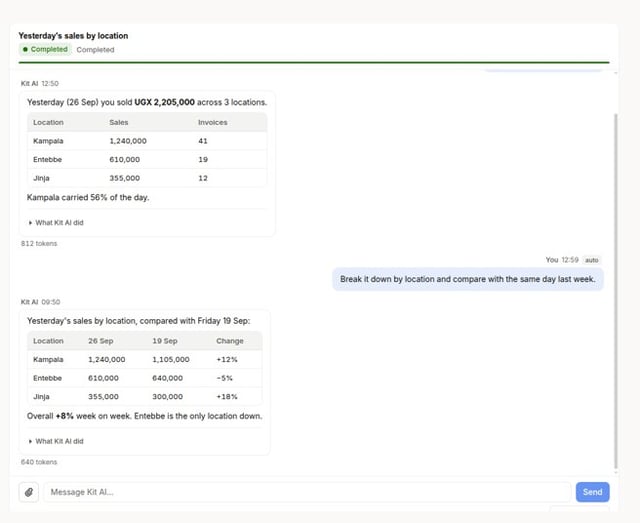
125,000 tokens a week on Economy, 625,000 tokens a week on Deluxe, 2,500,000 tokens a week on Plus; Custom is tailored. Ask "what sold best this week?" and get the answer from your till, not a report builder.

Included in every plan with a weekly token allowance; extra usage draws on your business credits.

Guides

Learn Purchases in the time it takes to make tea

Kit POS: Add a Supplier and Set the Opening Balance
Kit POS: Add a Supplier and Set the Opening BalanceKit guide · youtube.com/@Kitpos · 4:23
How to import products, contacts and stock in Kit POS
How to import products, contacts and stock in Kit POSKit guide · youtube.com/@Kitpos · 5:06
How to customise, export and work any list in Kit POS
How to customise, export and work any list in Kit POSKit guide · youtube.com/@Kitpos · 4:37
FAQ

Questions shop owners ask

Do purchases update stock automatically?
Yes. Goods received post quantities to the receiving location and update the product's cost price; partial receipts leave a back order open.
Can I require approval before an order goes out?
Yes. Approval on purchase orders and supplier payments is a role setting; approvers get the request on Kit Business mobile.
Does Kit keep a supplier statement?
Yes. Each supplier has a ledger with opening balance, purchases, payments and returns, with ageing.
Do purchases post to the books?
Yes. Every purchase, return and supplier payment posts to Kit Accounting, which is included free in every plan.
Is Purchases included in my plan?
Yes. Purchases is part of Kit POS core, which is in every Kit plan.
Kit POS · Purchases

Receive stock. Cost prices follow.

Register, import your products and ring your first sale before closing time. Accounting is already in your plan.