Kit
Start free
Kit Repairs

Every device tracked. Every shilling known.

Job cards with IMEI, serial or plate, estimates approved from WhatsApp, deposits, a technician board and a 30-day warranty; invoiced through the Kit till.

No card needed · 14-day trial · Switch on from Settings, then Modules

Add-on · UGX 50,000 a monthBonus Accounting included free in every plan
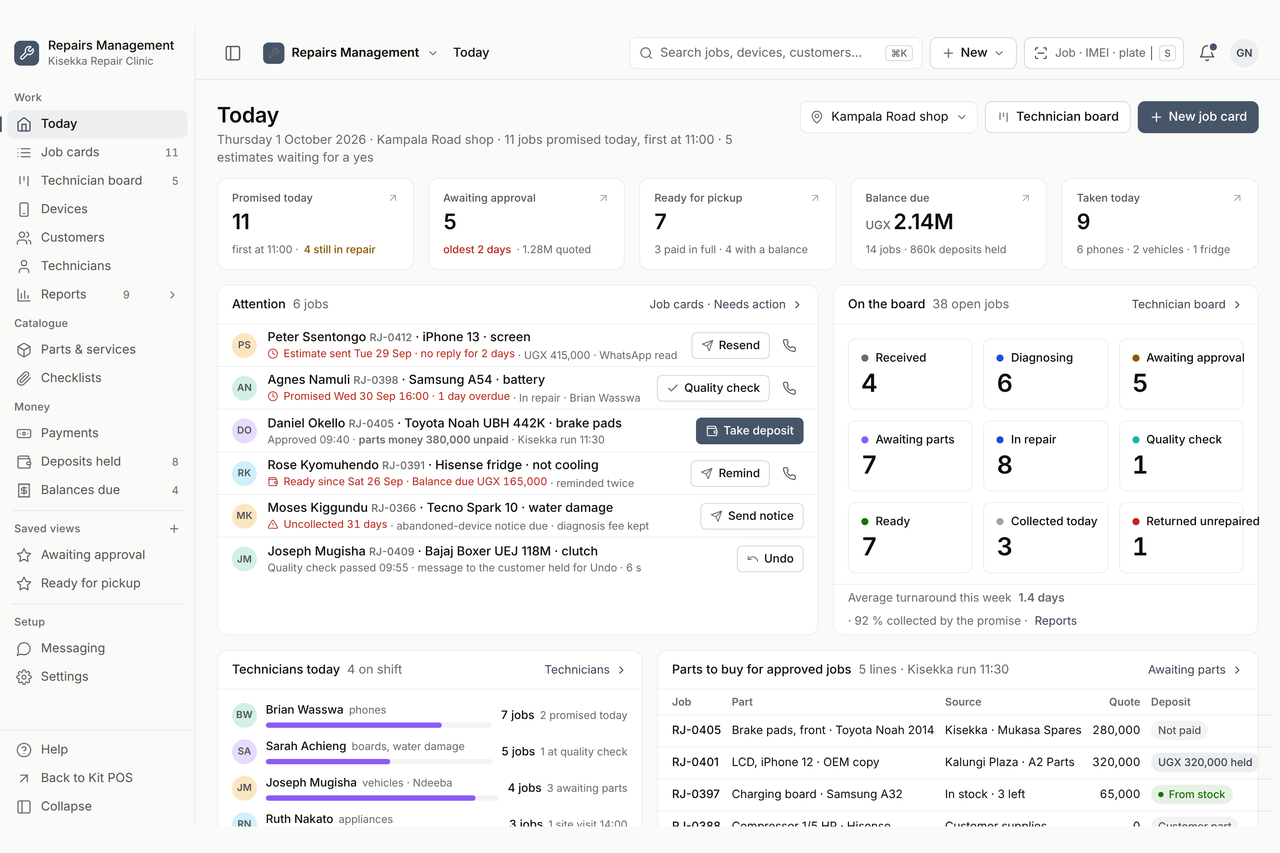
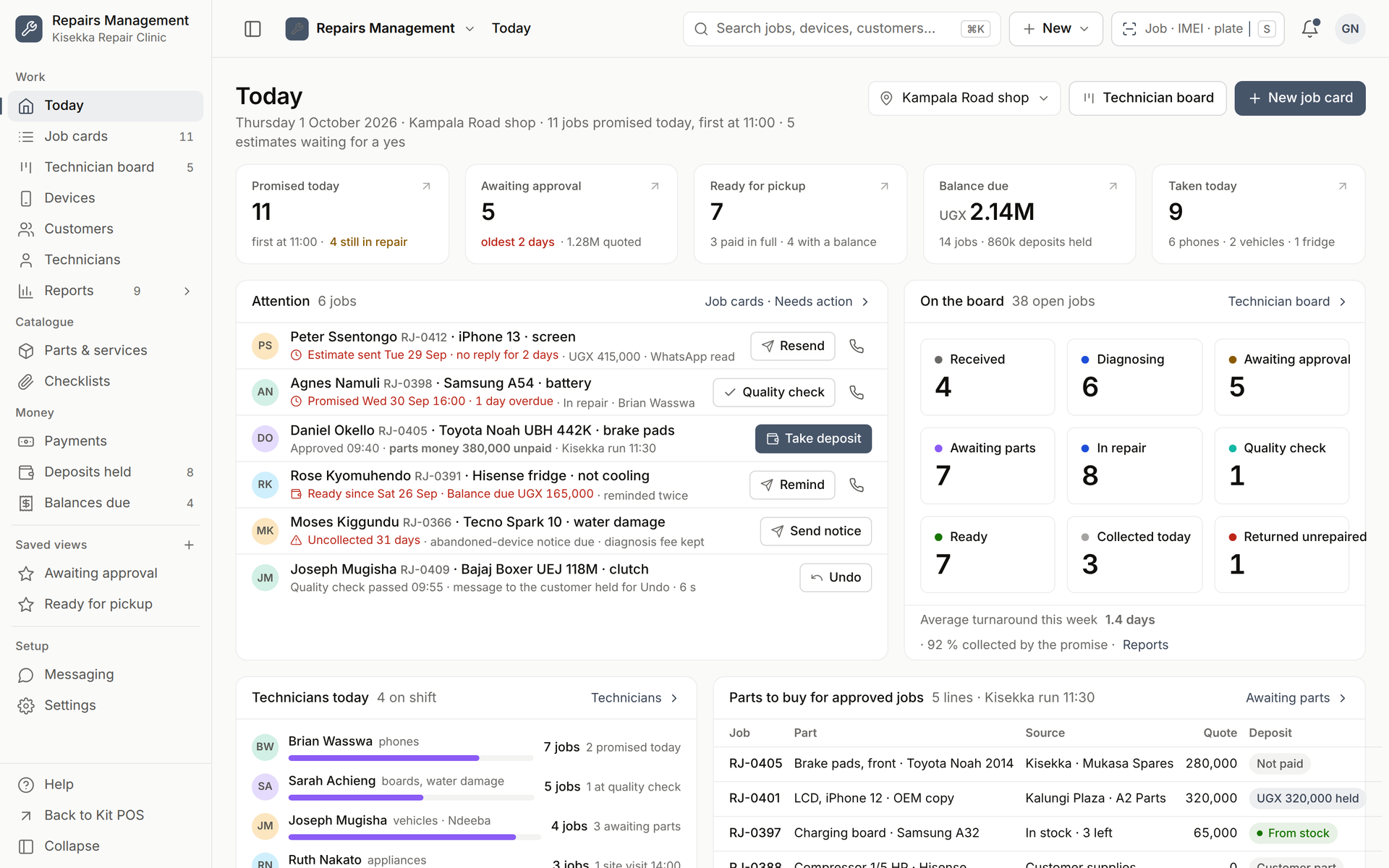
Kit Repairs Today: promised jobs, estimates awaiting approval, ready for pickup, the attention queue and the board, designed screen
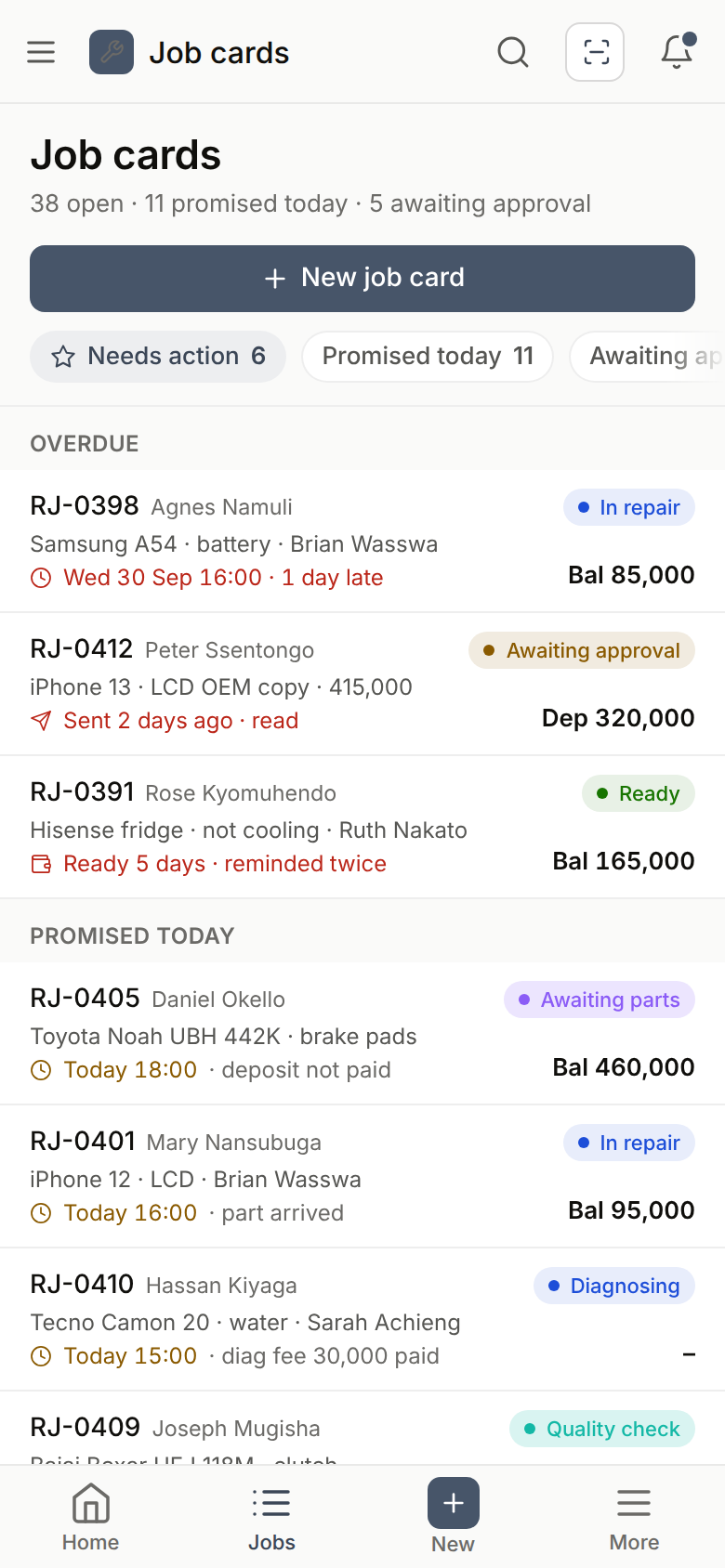
Kit Repairs job cards on the phone: overdue and promised today with status and balance, designed screen
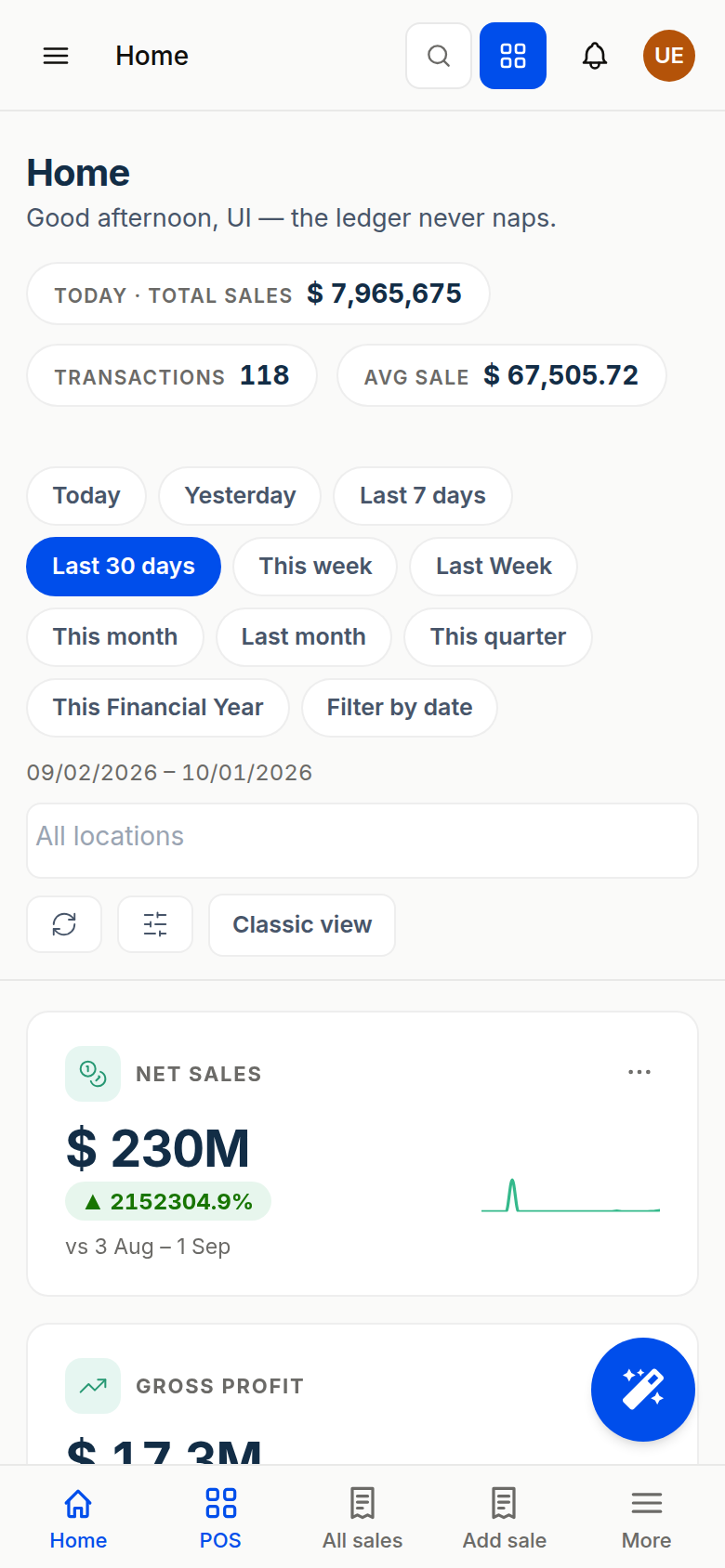
Designed screens of Kit Repairs, demo data for Kisekka Repair Clinic · phone shows the job list at phone width
Trusted by 4,200+ businesses in 6 countries EFRIS-ready receipts from the same record Kit AI in every plan with a weekly token allowance Accounting included free in every plan
What it does

Job cards, estimates, warranty

1Job card with IMEI, serial or plate, intake checklist and condition photos
2Estimate approved from a WhatsApp link; the diagnosis fee is credited on approval
3Parts from stock, bought for the job or supplied by the customer; deposits held until pickup
Features

What Kit Repairs does, screen by screen

Designed screens from the approved Kit Repairs design pack, demo data for Kisekka Repair Clinic; they are not live captures.

1Job cards

A job card in two minutes, slip and label printed.

Type the phone number and the Scan chip reads the IMEI, serial or number plate; the device comes back with its earlier jobs. Tick the intake checklist (eight points for a phone, ten for a vehicle), take condition photos, note the accessories and the passcode consent, and print the job slip and the 50 by 30 label. Phones, laptops, appliances and vehicles share one job model; the device type chooses the checklist and the fields.
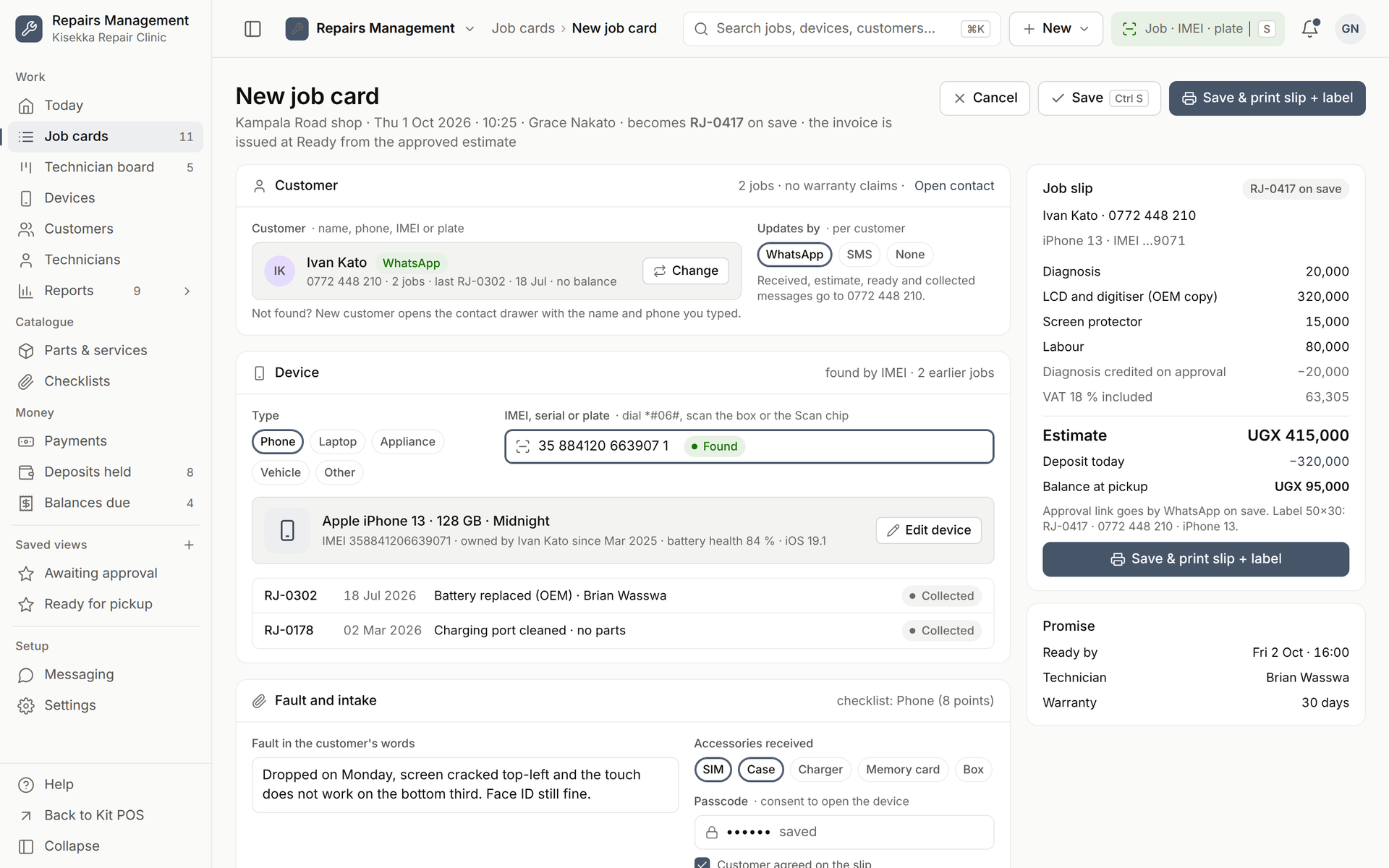
A job card in two minutes, slip and label printed.
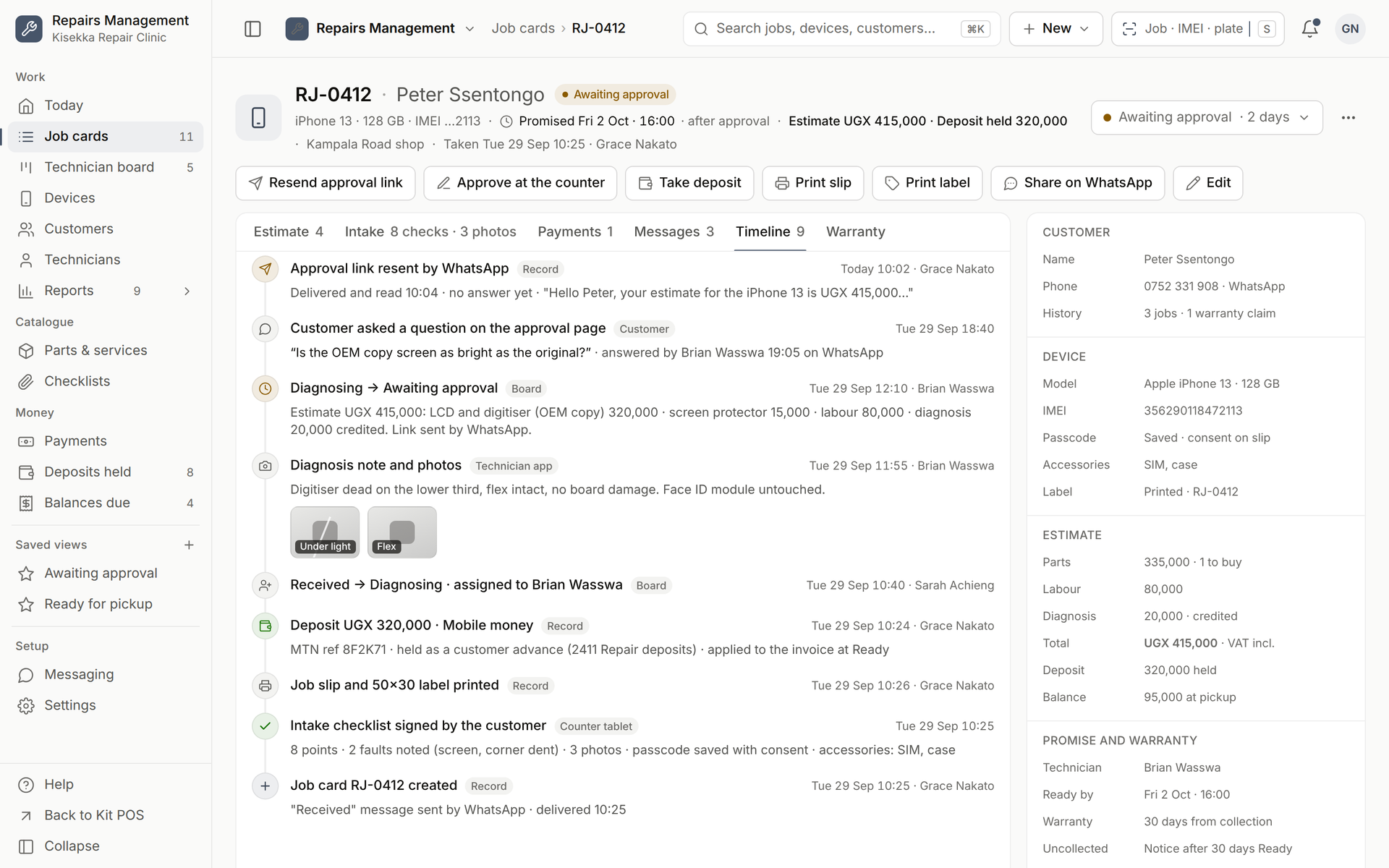
2Approval on WhatsApp

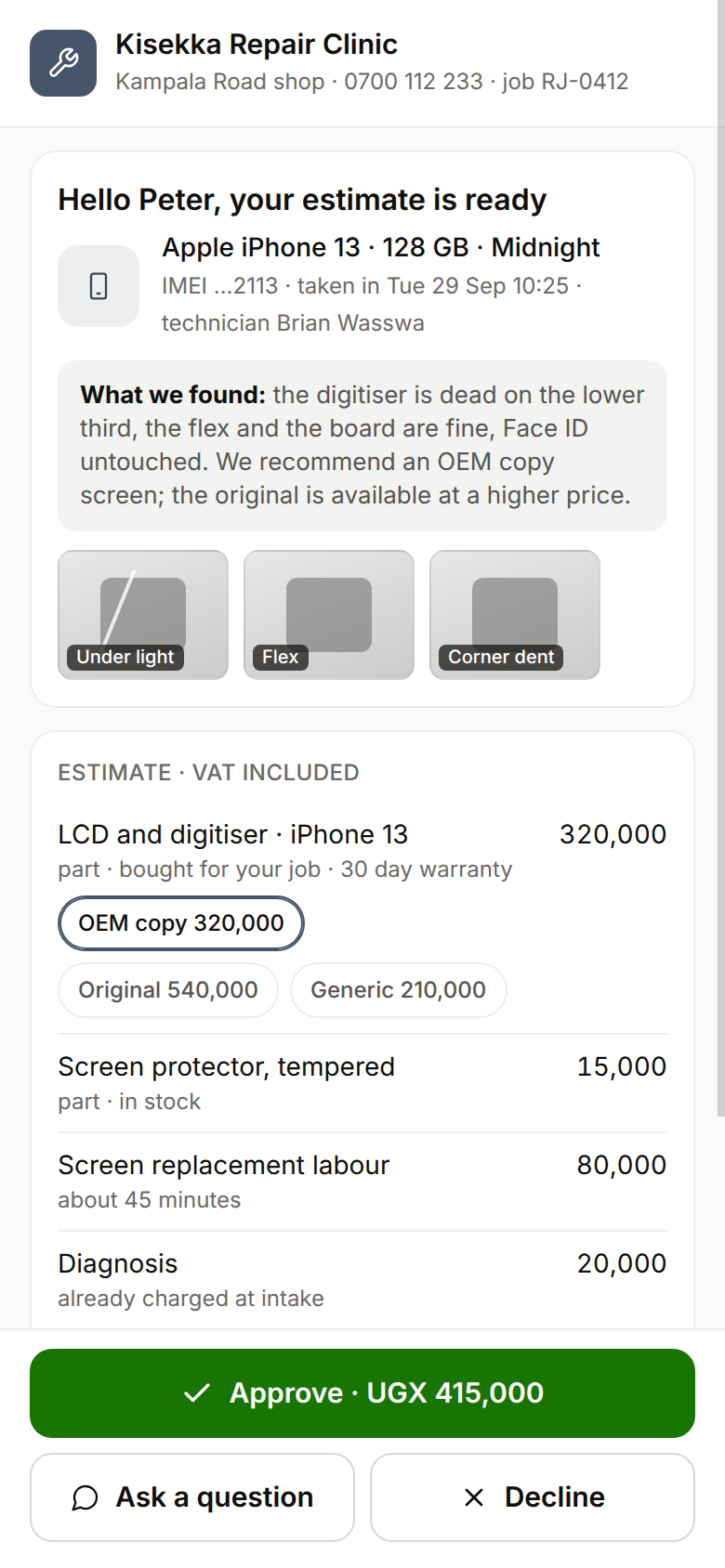
The estimate goes to the customer's phone. They tap Approve.

A signed link opens what the technician found, the photos, and the estimate with the part quality options (original, OEM copy or generic) and the total updating as they switch. Approve, Decline or Ask a question is recorded with who, when and the channel; at the counter the customer signs on the tablet instead. The diagnosis fee charged at intake is credited the moment the estimate is approved, and kept if the customer declines.

The estimate goes to the customer's phone. They tap Approve.
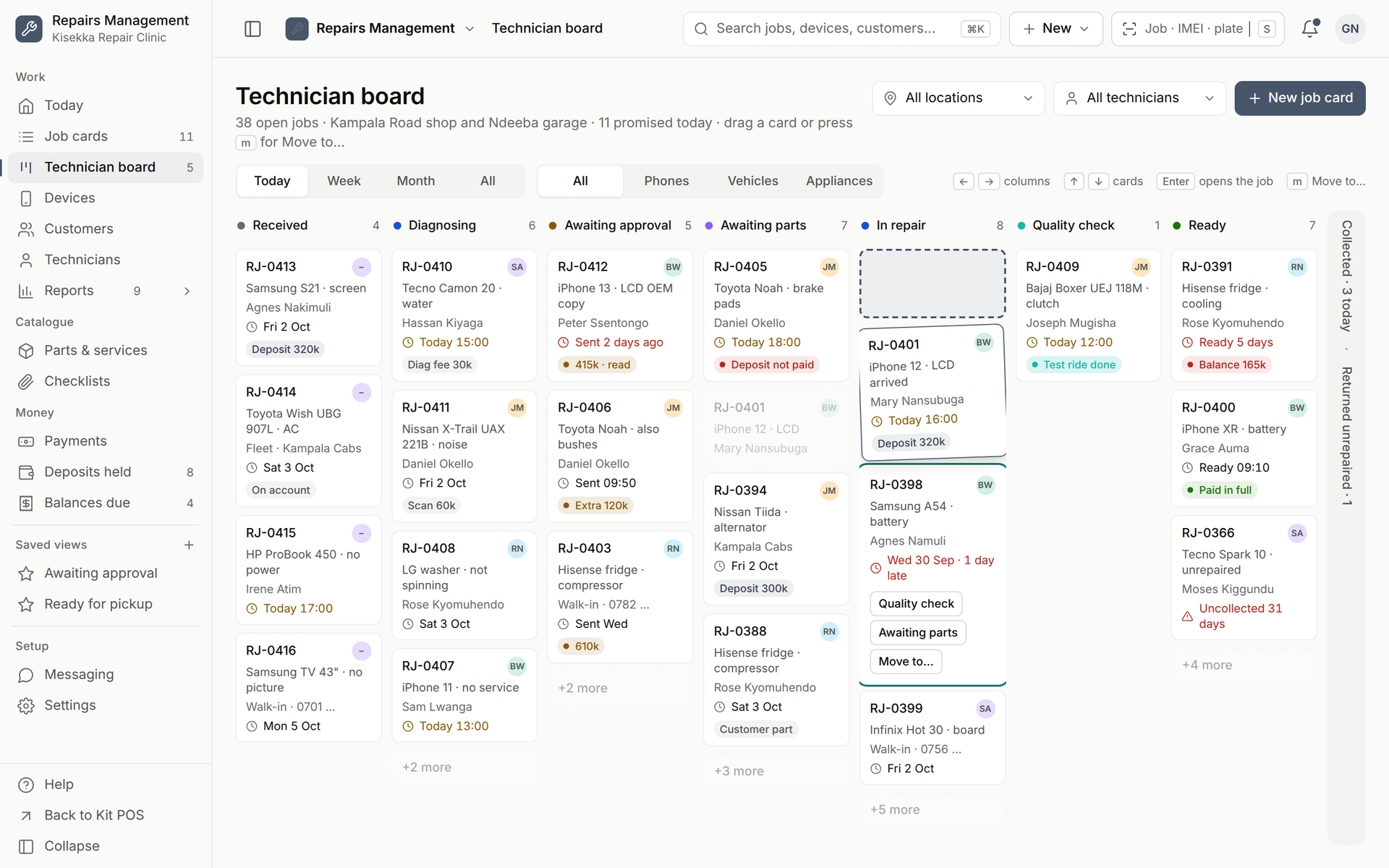
3Technician board

Received to Ready, one column per status, deposits and parts on the card.

Seven working columns with the promise chip turning amber today and red when late. A card shows the deposit held, the part to buy or the customer's own part, and moves with a drag or the OK button; Collected and Returned unrepaired fold into the rail. Filter by location, technician or device type.

Received to Ready, one column per status, deposits and parts on the card.
4Messages and warranty

The customer hears from you at Received, Estimate ready, Ready and Collected.

WhatsApp first, SMS where there is no WhatsApp, with a ten-second Undo before a message leaves. The timeline keeps every move, note, photo and message against the job. Warranty is 30 days on the part and the workmanship from collection (0, 60 or 90 per job); a claim re-opens the job as a linked card at zero charge.

The customer hears from you at Received, Estimate ready, Ready and Collected.
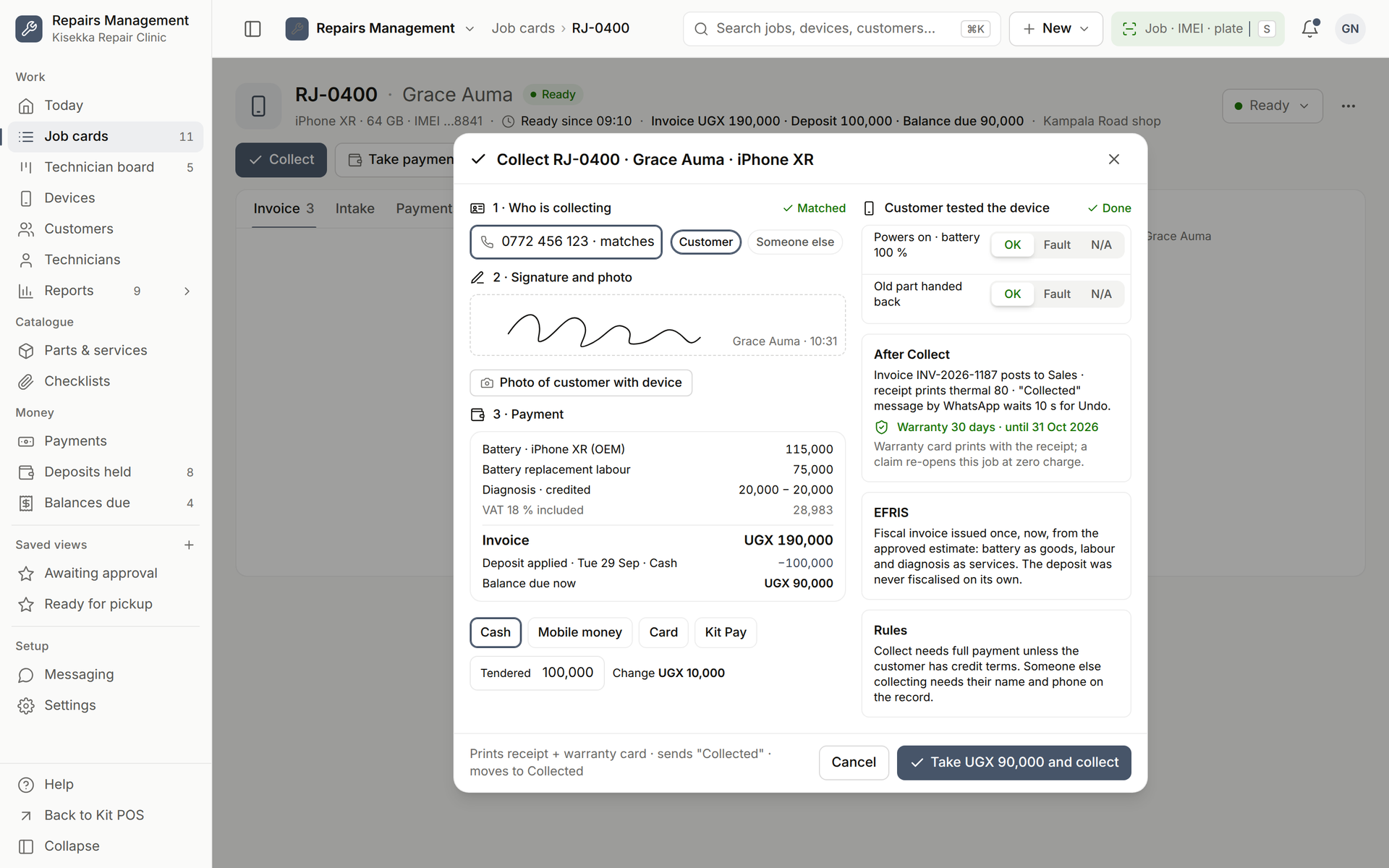
5Pickup through the Kit sale

Collect checks the person, tests the device, takes the balance and prints the warranty card.

The invoice is issued at Ready from the approved estimate as an ordinary Kit sale: one fiscal invoice per job, the deposit applied as an advance, the balance taken in cash, mobile money, card or Kit Pay. Reminders go out at 30 and 60 days for devices nobody collects; after 90 days the shop may dispose of them, as printed on the slip.

Collect checks the person, tests the device, takes the balance and prints the warranty card.
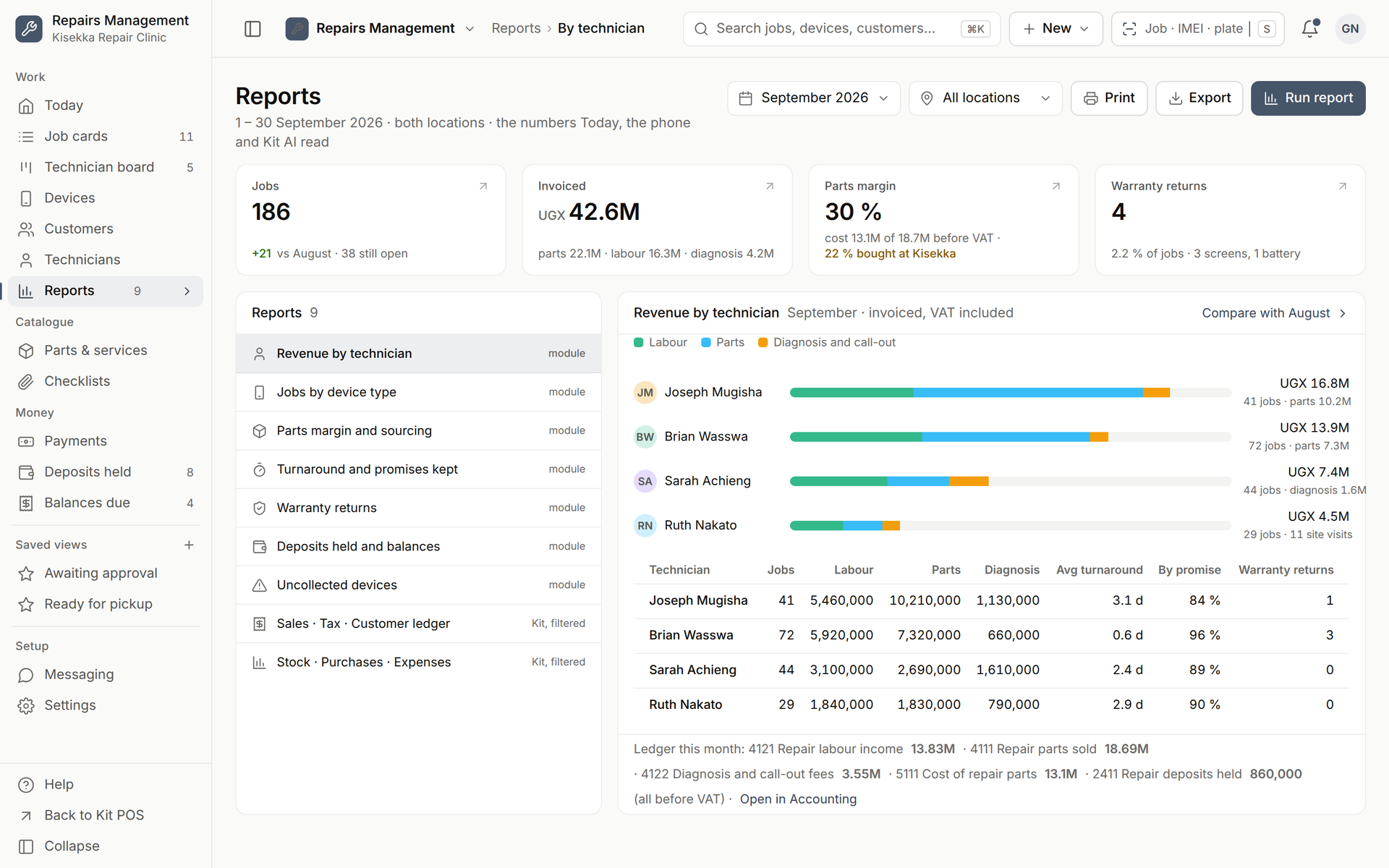
6Reports and the ledger

Revenue by technician, parts margin, promises kept, warranty returns.

Nine reports from one read model: jobs by device type, parts margin and where the parts were bought, turnaround and promises kept, deposits held and balances due, uncollected devices. Labour, parts, diagnosis fees and deposits post to their own accounts in Kit Accounting, which is free, and Kit AI answers from the same numbers.

Revenue by technician, parts margin, promises kept, warranty returns.
Who it is for

Built for repair shops and service businesses

Job cards with IMEI, serial or plate, estimates approved from WhatsApp, deposits, a technician board and a 30-day warranty; invoiced through the Kit till.

Kit Repairs Today screen: promised jobs, estimates awaiting approval, ready for pickup, the attention queue and the technician load, designed screen
Designed screen · Kit Repairs Today
Plans

One add-on. Every plan. Accounting thrown in.

Add-on · UGX 50,000 a month. Yearly = 10 × monthly on the plan, extras and every add-on: pay for 10 months, not 12. Prices include 18% VAT.

Kit Repairs
Job cards, estimates, warranty
Economy
UGX 50,000
a month on top of the plan
1 location · 5 users
DeluxeMost popular
UGX 50,000
a month on top of the plan
3 locations · 15 users
Plus
UGX 50,000
a month on top of the plan
10 locations · 100 users
Custom
Bundled at a group rate
 
Unlimited locations and users

Plans: Economy UGX 268,000 · Deluxe UGX 538,000 · Plus UGX 1,288,000 · a month; Custom: talk to sales. Two months free when you pay yearly.


Kit Repairs gives you:

  • Job card with IMEI, serial or plate, intake checklist and condition photos
  • Estimate approved from a WhatsApp link; the diagnosis fee is credited on approval
  • Parts from stock, bought for the job or supplied by the customer; deposits held until pickup
  • Kit Accounting, included free Bonus

14-day trial, no card. Pay by MTN MoMo, Airtel Money, card, bank transfer or Kit Pay.

AAccounting included free in every planBonus

Kit Accounting is a free module, on by default for every business: ledger, P&L, balance sheet and ageing, with every sale, purchase and payment posted automatically.

Pair it with Kit AI

125,000 tokens a week on Economy, 625,000 tokens a week on Deluxe, 2,500,000 tokens a week on Plus; Custom is tailored.

Included in every plan with a weekly token allowance; extra usage draws on your business credits.

FAQ

Questions about Kit Repairs

Is Kit Repairs included in my plan?
Kit Repairs is an add-on at UGX 50,000 a month on Economy, Deluxe and Plus, bundled at a group rate on Custom. Pay yearly and get two months free. Prices include 18% VAT.
Which repair trades does Kit Repairs cover?
Phones and electronics, laptops, appliances and vehicles on one job model. The device type chooses the intake checklist and the extra fields: IMEI for phones, serial and rating plate for appliances, number plate, odometer and fuel level for vehicles.
Can the customer approve the estimate without coming in?
Yes. The estimate goes out as a signed link by WhatsApp or SMS; the customer sees what was found, the photos and the price options, and taps Approve, Decline or Ask a question. Who approved, when and on which channel is recorded on the job. At the counter, they sign on the tablet instead.
Is it priced per technician or per location?
No. Kit Repairs is UGX 50,000 a month per business, flat, on every plan. Technicians are ordinary Kit users within your plan's user count; extra users and locations are priced on the pricing page.
Does Accounting pick up what happens in Kit Repairs?
Yes. Every sale, bill, purchase and payment recorded in Kit Repairs posts to Kit Accounting by itself, and Accounting is included free in every plan.
Can Kit AI answer questions about Kit Repairs?
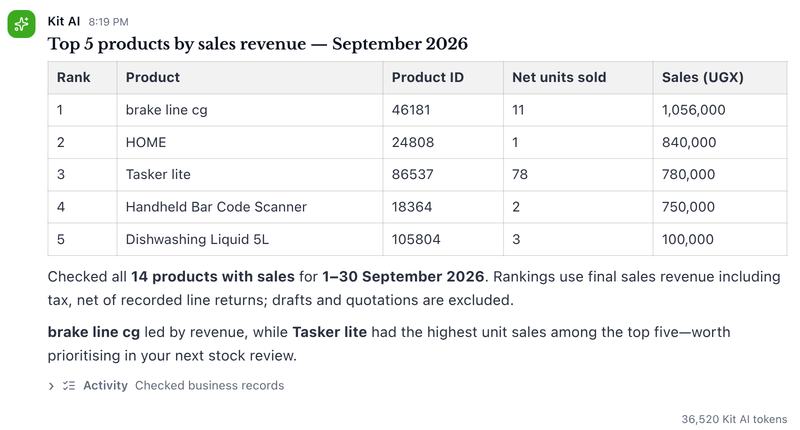
Yes. Included in every plan with a weekly token allowance; extra usage draws on your business credits. Answers use only your business's records and respect each user's role.
Which devices does Kit Repairs run on?
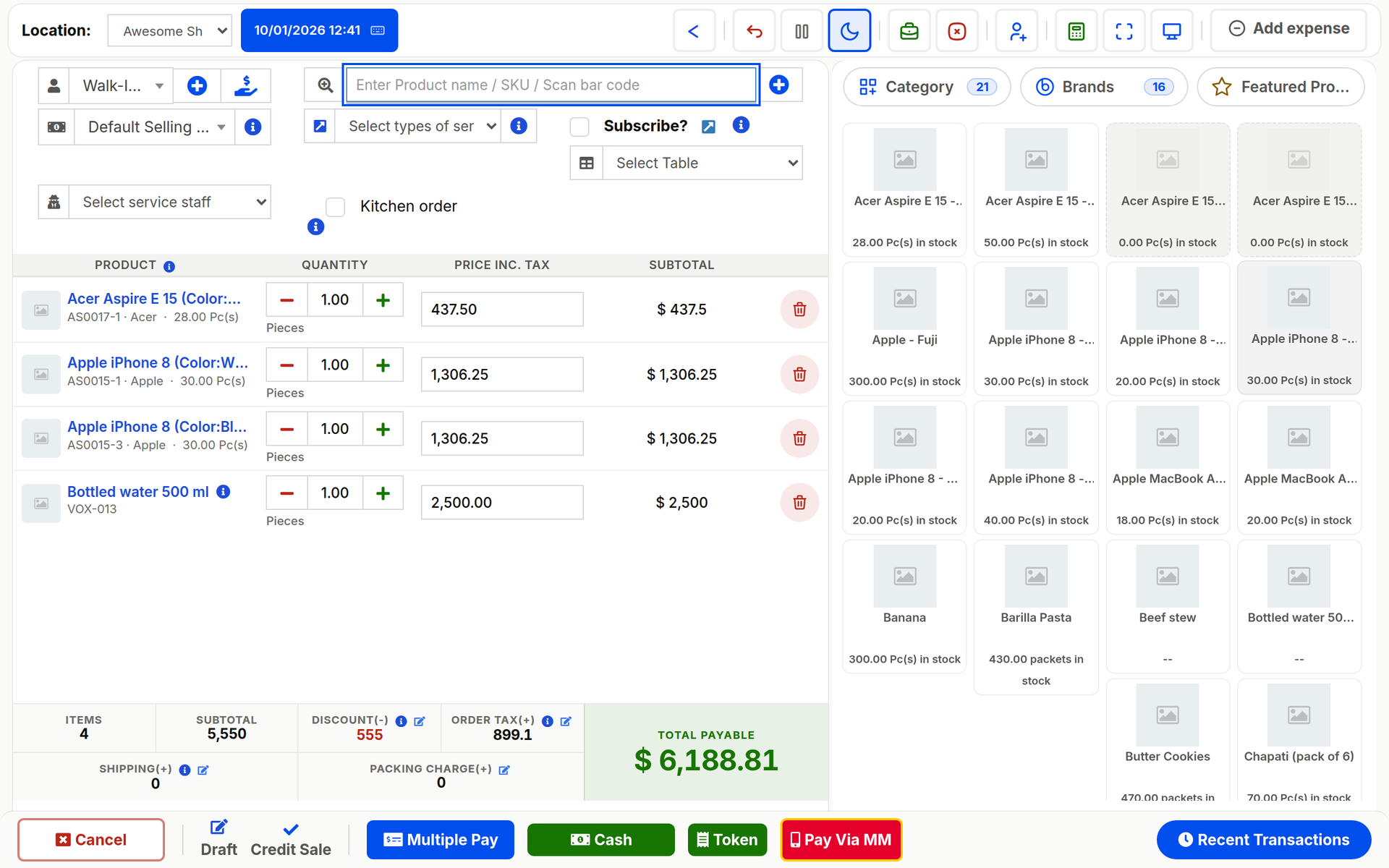
Kit Repairs runs in any browser on a laptop or a phone, and the numbers show on Kit Business mobile. Sales still ring on the Kit POS Desktop till when the internet is down.
How do I switch Kit Repairs on?
Start free, then open Settings, then Modules, and switch Kit Repairs on. It is billed with your plan and prorated when you add it mid-period.
Kit Repairs

Every device tracked. Every shilling known.

Start free, switch on Kit Repairs from Settings, then Modules, and import your data this afternoon. Accounting is already in your plan.